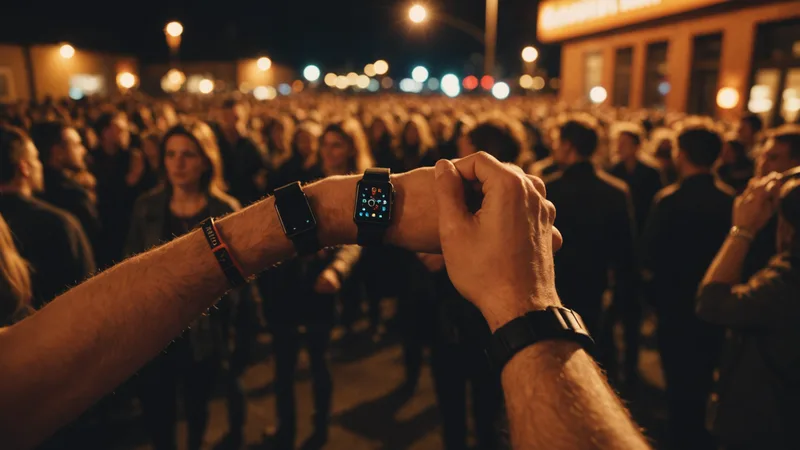
The queue is already outside when the first guest reaches the door. Phones are buried in pockets, buyers reopen emails from purchase day, and one person holds up a screenshot of someone else's ticket on another phone. The scanner is working. The problem is that nobody prepared the tickets before arriving. At a 200-person show, the line wrapped around the block for twenty minutes.
The scanner worked. The process did not.
Fast doors depend on a few practical details, tested at independent shows from 80 to 400 people.
QR codes: what they do and where they fail
Each Membrz ticket carries a unique QR code. It contains a ticket ID linked to that purchase in the event attendance record. On scan, Membrz checks the ID through its validation endpoint, returns pass or fail, and marks the ticket used in real time.
That live status stops reuse. After a valid scan, the database flags the QR code. Scanning it again returns "already admitted", not another pass. This anti-duplication check works across every device scanning the event at the same time.
At QR level, brightness is the usual culprit. A phone at 30% brightness can be hard to read in strong daylight, or at a dim entrance with warm ambient light. That is a physics issue, not a software bug. Add a sentence to the ticket confirmation email: bring the QR code up at full brightness before reaching the door. It costs nothing and consistently cuts each person's scan time.
Hardware choices and their tradeoffs
Independent events have three workable door-scanning setups. Choose according to event size and the entry window.
Option one is a smartphone running the Membrz app camera. It is the easiest setup and adds no cost. With autofocus and enough screen brightness, a recent phone can read a standard QR code in under a second. One phone, with the queue prepared, handles around 300-350 scans per hour, enough for about 200 people entering over 30 minutes. Phones struggle in poor light, and the staff member may get distracted because the scanner is also a general device.
Option two is a dedicated 2D barcode scanner from Honeywell, Zebra, or a similar manufacturer, linked by USB or Bluetooth to a tablet or laptop running the Membrz dashboard. Its imaging sensor is built for barcodes, making it faster and more dependable than a phone camera in changing light. Throughput is 500-600 scans per hour. Purchase prices are usually 80-150 EUR, or the units can be rented from event equipment suppliers in most Portuguese cities. Above 200 people, or when everyone arrives within 20 minutes, the cost is justified.
Option three suits larger independent shows: an iPad or Android tablet on an entrance stand, paired with a Bluetooth scanner. The larger display helps staff handle edge cases, such as "ticket not found" results that require checking a guest-list name. The device stays at the door instead of going into a pocket. A second staff member can handle the queue while the scanner operator concentrates on scans.
Network and connection
The Membrz scanning app needs a network connection for live ticket validation. The API request is lightweight, so weak 4G usually works. A Bluetooth scanner paired with a phone hotspot also works wherever mobile reception is available.
Plan around venues with thick concrete and weak indoor coverage. That situation is uncommon in Portugal's independent venues, which are often older buildings where signals pass reasonably well. For a basement or reinforced industrial space, test reception at the entrance, not at the bar or in the main room. If the entrance faces an internal wall instead of the street, it may be the building's weakest spot.
When the connection is genuinely uncertain, download the attendee list before opening the doors. The app can then validate offline against that local list instead of calling the API. Scans wait locally and sync once the connection returns. It is not the default mode, but it is there for this situation.
Staffing the door
Scanner speed matters less when the person ahead of it is causing the delay. At a typical indie show, admission takes roughly 3-4 seconds when the phone is ready, plus 5-15 seconds while an unprepared attendee finds the ticket. The scanner is almost never the bottleneck.
For a 200-person show, the useful upgrade is usually not better hardware. Add a second door person whose sole task is telling the queue to open tickets before reaching the scanner. It sounds obvious and rarely happens. Separating queue management from scanning roughly doubles effective throughput without changing the technology.
No tool can solve an organizer running the door while also handling the bar, sound engineer, and artists. That is staffing, not scanning. From 150 people upward, assign at least one dedicated person to the entire entry window.
Multiple scanners, one event
At larger events or venues with several entrances, Membrz lets multiple devices scan the same event attendance list at once. Validation happens server-side, so duplicate protection applies across all devices. A ticket cannot be admitted twice, whichever device scans it first.
To set up, each door staff member signs into the Membrz app, and the organizer gives scanner access for that event. The current configuration has no per-device limit tied to event size.
Test before opening the doors
Before each event, scan your own ticket. Use the device door staff will use, in the entrance's real lighting. Confirm the scan finishes within two seconds. If it takes longer, raise the brightness on the presented phone, not the scanning device.
With a dedicated scanner, check that Bluetooth remains paired at the distance between staff and tablet. Nearby Bluetooth devices can reduce the reliable range below what the scanner specifications suggest.
Finally, scan one ticket twice and check that the second result says "already admitted", not pass. The test takes thirty seconds and verifies duplicate prevention before guests arrive. Repeat it every time, not only for the first event using a new setup.
The step most organizers miss
Most door trouble can be avoided by contacting buyers beforehand. Send a short email 24 hours before doors open, asking them to arrive with the ticket open and the screen bright. Preparation then happens in the queue rather than at the scanner, which materially lowers effective scan time per person.
You do not need dedicated software or automation. Send the reminder and door time from your usual address. Organizers who do this consistently get people through faster than those who leave buyers to find their tickets at the entrance.